
When Your Xero Integration Is Just a Fancy Export Button
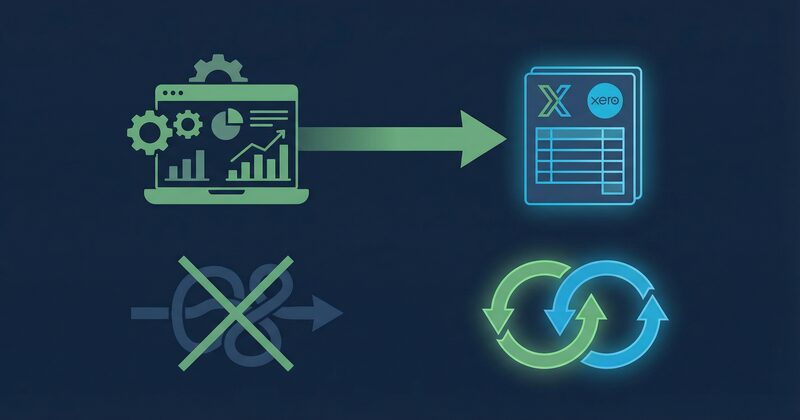
The Invoice That Wasn't
It was a Tuesday afternoon when Priya realised she'd invoiced a client twice.
Not a duplicate click. Not a system glitch. Something slower and more embarrassing: she'd raised an invoice in her project management tool, exported it to Xero, then — two weeks later, when the payment didn't show in her project dashboard — assumed it hadn't been sent. So she raised it again. Directly in Xero this time.
The client, a regular who'd been with her event management studio for three years, called to ask which invoice they should pay. Both had different reference numbers. One had the correct GST. One didn't.
Priya runs a mid-sized event production company in Melbourne. Eight staff, a busy calendar, and a bookkeeper who works remotely two days a week. She'd been using a project tool for scheduling and task management, and Xero for everything financial. They didn't talk to each other — not really. There was a button in the project tool that said "Send to Xero," and she'd assumed that meant the two systems were connected.
They weren't. Not in any meaningful sense.
What "Xero Integration" Usually Means
The phrase "integrates with Xero" has been stretched so thin it's nearly transparent. For many tools, it means one of three things:
- A CSV export you paste into Xero manually
- A one-way push that creates records in Xero but never reads back
- A Zapier-style webhook that fires when something happens, but has no idea what happened after
None of these are integrations. They're data transfers. And the difference matters enormously once your business has more than a handful of active projects.
A one-way push tells Xero something happened. It doesn't ask Xero what happened next. So when a client partially pays an invoice, or your bookkeeper adjusts a line item, or a payment gets allocated to the wrong contact — your project tool has no idea. It's still showing the original number you typed in three weeks ago.
This is where Priya's problem started. Her project tool had pushed the invoice to Xero. But when the client paid — minus a small deposit they'd already settled separately — Xero marked it as partially paid. The project tool never heard about that. It just showed an outstanding invoice, which looked identical to an unsent one.
The Real Cost of Stale Financial Data
Most business owners don't notice this problem until it bites them. Day to day, the numbers look roughly right. You glance at the project tool, see an invoice marked "sent," and move on. You glance at Xero, see a payment pending, and assume someone's handling it.
But "roughly right" is not the same as accurate. And the gap between them tends to widen quietly, over months, until you're looking at a reconciliation nightmare or — like Priya — an awkward conversation with a long-term client.
There's also a subtler cost: the time you spend manually bridging the gap. Exporting reports. Copying figures. Checking one system against the other. Cross-referencing a spreadsheet you built because neither tool showed you what you needed.
This is exactly how admin time balloons. You start with a reasonable setup — a project tool here, Xero there — and gradually build a layer of manual work to compensate for the fact that they don't share data. That layer thickens. Before long, you're spending more time managing the gap between your tools than you are on the actual work your clients pay you for.
For a business owner, this is the beginning of a pattern worth recognising. When admin starts consuming 35% of your week, then 45%, then more, it doesn't just feel exhausting — it actively crowds out the things that grow your business. Client work suffers. New business development stalls. The financial pressure that results creates even more admin. It compounds.
The fix isn't working harder. It's closing the gap between your systems.
What Two-Way Sync Actually Looks Like
Genuine two-way sync means both systems are reading from the same source of truth, in real time. When something changes in Xero, your project tool knows. When something changes in your project tool, Xero knows.
In practice, this changes several things that matter:
Payment status flows back automatically. When a client pays an invoice — fully, partially, or in instalments — that status updates in your project view without anyone touching it. You don't need to check Xero to know whether you've been paid. You don't need to ask your bookkeeper.
Contacts stay consistent. If your bookkeeper updates a client's billing address or ABN in Xero, that change is reflected in your project tool. Not because a sync job ran overnight. Because there's one record, not two.
Reconciliation doesn't require a spreadsheet. When bank transactions are matched in Xero, the corresponding project costs update. Your project P&L reflects reality, not a snapshot from last Tuesday.
Invoices don't get raised twice. Because the project tool can see what's already in Xero, it knows an invoice exists. It won't let you create a duplicate. Priya's problem, structurally, becomes impossible.
This is what Opus does with Xero — not a push button, but a live connection where financial data moves in both directions, automatically, without anyone managing the pipeline.
The Bookkeeper Stays in Xero. You Stay in Opus.
One of the more practical things about genuine integration is what it doesn't require anyone to change.
Bookkeepers work in Xero. That's where they reconcile, categorise, run BAS reports, and manage the chart of accounts. Asking them to learn a new system — or to enter data in two places — is a recipe for errors and frustration. Good integration respects that. The bookkeeper stays in Xero. Everything they do there flows through to the project layer automatically.
Meanwhile, the business owner and project managers stay in their platform. They see project budgets, track time against estimates, monitor costs as they're incurred, and watch invoice status update in real time. They don't need to open Xero. They don't need to ask the bookkeeper for a report. The financial picture is just there, attached to the project where it belongs.
This division of labour sounds simple. It is, once the plumbing is right. But it only works when both systems are genuinely connected — not when one is pushing data at the other and hoping for the best.
For Priya, the shift was practical and immediate. Her bookkeeper continued working in Xero exactly as before. But Priya could now see, from her project dashboard, which invoices had been paid, which were outstanding, and what the actual margin on each event looked like — without exporting anything or asking anyone.
Why Project-to-Finance Visibility Changes Decisions
There's a reason this matters beyond avoiding duplicate invoices. When your project tool and your accounting system share live data, you start making different decisions.
You notice that a particular type of client consistently runs over budget — not because the work is hard, but because the scope always creeps in the same direction. You can see it in the numbers, project by project, because the numbers are actually attached to the projects.
You notice that one service line looks profitable on paper but has a much lower margin when staff time is properly accounted for. You can see this because timesheets feed directly into project costs, which feed directly into P&L.
You notice that a client who represents 30% of your revenue is also responsible for 60% of your late payments — a pattern that's invisible when invoice status lives in Xero and project history lives somewhere else.
None of these insights require a data analyst. They require data that's connected.
For businesses running multiple concurrent projects — agencies, consultancies, event companies, IT service providers, health practices with multiple practitioners, training organisations running several cohorts — this kind of visibility is the difference between managing by feel and managing by fact.
The Integration Tax
There's a cost that rarely shows up on any invoice: the time your team spends compensating for tools that don't talk to each other.
Call it the integration tax. It's the fifteen minutes your project manager spends each morning checking Xero to see which invoices came in overnight. It's the hour your bookkeeper spends each month reconciling project costs against what the PM tool shows. It's the afternoon you lose every quarter building a report that neither system can produce on its own.
Individually, none of these feel significant. Collectively, across a team of eight or ten people, they add up to days of lost time every month. Days that could have gone toward client work, toward new business, toward anything other than manually bridging a gap that shouldn't exist.
This is the part of the admin burden that's hardest to see, because it hides inside normal-looking tasks. Nobody marks their timesheet "compensating for broken integrations." They just mark it "admin."
What to Actually Look For
If you're evaluating whether a tool genuinely integrates with Xero — or if you're reconsidering your current setup — a few questions cut through the marketing language quickly:
- Does payment status flow back from Xero automatically?: Not on a schedule. Not when you click a button. Automatically.
- If a contact is updated in Xero, does it update in the project tool?: Without a manual sync.
- Can you see real-time project P&L that includes Xero data?: Not a report you export. A live view.
- Does the system prevent duplicate invoices?: Because it knows what's already in Xero.
- Can your bookkeeper keep working in Xero without learning anything new?: This is a sign the integration is built for real workflows, not demos.
If the answer to any of these is "not quite" or "you can do that with a workaround," you're looking at an export button with good branding.
After the Duplicate Invoice
Priya sorted out the double-invoice situation. Her client was gracious about it. But it cost her an afternoon of back-and-forth, a credit note, and a small but real dent in a relationship she'd spent years building.
She switched systems a few months later. Not dramatically — she didn't overhaul everything at once. But she moved her project management to a platform where Xero wasn't an afterthought bolted on via a third-party connector. Where the financial layer and the project layer were genuinely the same layer.
Her bookkeeper noticed nothing had changed in Xero. That was the point.
Priya noticed that her Tuesday afternoons — previously spent cross-referencing reports — were suddenly free. Not because she'd hired someone. Because the information she used to chase was just there, accurate, attached to the right project, without anyone having to move it.
That's what genuine integration looks like. Not a feature. A different way of working.
If you're already using Xero and wondering whether your project tool is actually connected to it — or just pointed at it — it's worth taking a closer look at what's flowing in both directions. The [Opus pricing page](https://opus.net.au/pricing) is a good place to start if you want to understand what a unified setup costs compared to what you're running now.