
Stop Juggling 20+ Apps: Why All-in-One Business Management Is the Future
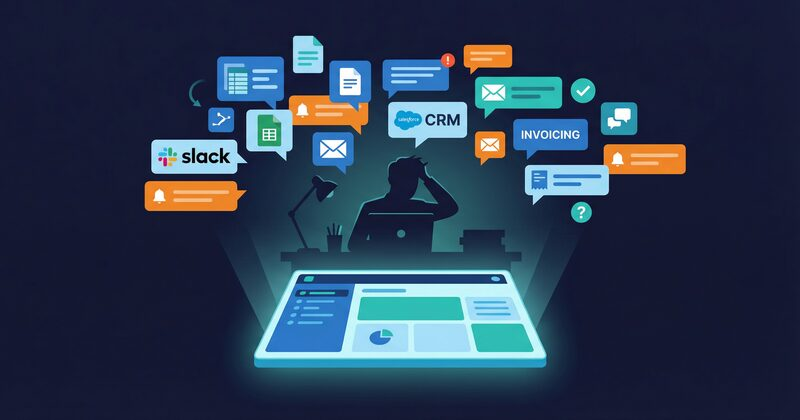
The $40,000 Question Nobody's Asking
Somewhere in suburban Melbourne, a project-based business director is paying $37,000 a year in software subscriptions. She doesn't know this. Nobody does. The costs are scattered across fourteen different credit card charges, three annual contracts, and two invoices that someone set to auto-pay in 2023 and promptly forgot about.
She's not unusual. According to a 2025 study by Productiv, the average small-to-medium business now uses between 25 and 50 SaaS applications. For a twenty-person firm, that translates to roughly $15,000 to $40,000 per year in subscription fees alone. And those are just the visible costs — the line items that show up on a bank statement.
The invisible costs are far worse.
The Hidden Tax on Every Hour of Every Day
Let's follow a typical project manager — call him James — through a Monday morning at a mid-sized professional services firm in Brisbane.
8:05 AM: James opens Asana to review this week's project milestones. Two tasks are overdue. He clicks into each one to read the notes, then switches to Slack to message the responsible team members.
8:22 AM: He needs to check whether a subcontractor invoice has been paid. He opens Xero, searches for the vendor, finds the bill, and confirms it's still outstanding. He screenshots the status and pastes it into a Slack channel for the accounts team.
8:34 AM: A client emails asking for a project update. James opens SharePoint to find the latest report draft, downloads it, then switches to HubSpot to check when the client was last contacted and what was discussed. The notes in HubSpot don't match what he remembers from the Slack conversation last week.
8:51 AM: He realises he needs to log his hours from Friday. He opens Harvest, tries to remember which projects he worked on, and manually enters his time against four different project codes.
9:03 AM: His director asks, "Are we going to hit our revenue target this quarter?" James has no idea. The data he'd need lives in Xero (invoiced revenue), Asana (project completion rates), HubSpot (pipeline value), and a spreadsheet on someone's desktop (forecasts). Answering the question would take a day of manual reconciliation.
James has been at work for an hour. He has accomplished nothing of substance. He has, however, logged into six different applications, context-switched eleven times, and performed three acts of manual data transfer that a unified system would have handled automatically.
The 23-Minute Refocus Penalty
Every one of those context switches carries a cognitive cost. A widely cited study from the University of California, Irvine found that it takes an average of 23 minutes and 15 seconds to return to full focus after a task interruption. Switching from Asana to Xero to Slack may not feel like an interruption — but to your brain, each application is a different environment with its own interface logic, navigation patterns, and mental model.
For a team of twenty people, each switching between applications thirty times a day, the mathematics is sobering. Even if only a fraction of those switches trigger a significant refocus penalty, you're losing the equivalent of two to three full-time employees' output to context switching alone. That's not a rounding error. That's a full-time salary you're paying for work that never gets done.
Duplicate Data Entry: The Silent Productivity Drain
When a new client is won, someone enters their details in HubSpot. Then again in Xero. Then again in Asana as a new project. Then again in the SharePoint folder naming convention. Four entries of the same information, each slightly different because humans aren't copy machines.
The client's company name is "O'Brien & Associates" in HubSpot, "OBrien and Associates" in Xero (because someone wasn't sure about the apostrophe), and "O'Brien Assoc" in Asana (because the field was too narrow). Six months later, when you try to reconcile client data across systems, you have three records that the software insists are different companies.
Conservative estimates put the cost of duplicate data entry at 20 to 30 percent of administrative time in firms running fragmented tool stacks. For a business with three administrative staff, that's almost one full-time equivalent spent doing nothing but typing the same information into different boxes.
Training Overhead: Death by a Thousand Logins
Every new hire at your firm needs to learn between six and twelve different software interfaces. Each application has its own onboarding process, its own quirks, its own mobile app, its own notification settings, and its own password. What should be a one-week ramp-up becomes a month-long exercise in software orientation.
And it's not just new hires. Every time one of those tools updates its interface — which happens constantly in the SaaS world — your entire team needs to relearn muscle memory. The button that was on the left is now on the right. The report that lived under "Analytics" is now under "Insights." The export function now requires two extra clicks.
Multiply that adjustment period across twelve tools and twenty people and the training tax becomes a permanent drag on productivity.
Integration Maintenance: The Duct Tape Economy
Zapier, Make, and custom API connections are the duct tape holding fragmented stacks together. They work brilliantly — until they don't. An expired OAuth token, a changed API endpoint, a rate limit hit during a busy period, and suddenly your Xero invoices aren't syncing with your project data. Nobody notices for two weeks because the failure is silent.
Someone in your organisation is spending hours every month monitoring, fixing, and updating these integrations. That person is rarely budgeted for, because the cost is distributed across dozens of small failures rather than one big visible expense.
A 2024 survey by MuleSoft found that the average enterprise spends 33 percent of its IT budget on integration work. Small businesses don't have IT departments, so that cost falls on the business owner, the office manager, or whoever happens to be "good with computers."
The Rise of All-in-One Platforms
The software industry is undergoing a correction. After a decade of unbundling — where every business function got its own specialised SaaS tool — the market is swinging back toward consolidation. And for good reason.
Businesses are exhausted. They're tired of stitching together a patchwork of tools that were never designed to work together. They're tired of paying integration tax. They're tired of answering simple business questions with three-day spreadsheet exercises.
The all-in-one platform movement isn't about going back to clunky monolithic software from the 2000s. It's about building modern, cloud-native systems that handle multiple business functions from a single codebase and a single database.
But not all "all-in-one" claims are created equal, and this is where businesses need to be discerning.
The Critical Distinction: Shared Database vs. Bundled Apps
When a software vendor says "all-in-one," they might mean one of two very different things.
Bundled Apps (The Marketing Version)
Some platforms are really just a collection of separate applications wearing the same brand. They acquired or built individual tools for project management, CRM, chat, and finance — each with its own database, its own data model, and its own internal logic. They've put a single login screen in front of them and called it integration.
This is better than nothing. You get one bill and one login. But underneath, you still have the same fundamental problem: data living in separate silos that need to be synchronised. The sync just happens internally rather than through Zapier.
Shared Database (The Architectural Version)
A genuinely unified platform stores everything — projects, finances, clients, communications, equipment, timesheets — in a single database with a single data model. There's no sync layer because there's nothing to sync. When you update a client's name, it changes everywhere instantly, not because a background job propagated the change, but because there was only ever one record.
This is the difference that matters. Shared-database platforms can do things that bundled-app platforms simply cannot: real-time cross-functional queries, instant project-to-financial reporting, and automation cascades that don't require middleware.
When evaluating platforms, ask this question: "If I change a client's address, how many databases does that update touch?" If the answer is more than one, you're looking at a bundled app suite, not a unified platform.
How Opus Solves This
Opus was built from the ground up as a single-database platform. Projects, finances, CRM, team chat, equipment management, timesheets, and AI-powered analytics all share one PostgreSQL database with one unified data model.
Here's what that means in practice:
- Projects and finances are the same record.: When you look at a project, you see its tasks and milestones alongside its revenue, costs, and profit margin — because they're stored in the same place.
- CRM and project history are linked.: Every client record shows their projects, invoices, communications, and pipeline opportunities. No manual cross-referencing.
- Team chat is contextual.: Conversations are linked to projects and clients, so messages have meaning beyond the chat window. Search across chat and you find project-relevant discussions instantly.
- Equipment is project-aware.: When a piece of equipment is assigned to a project, its cost allocation flows into the project's profit-and-loss automatically.
- Timesheets drive financials.: Hours logged by team members feed directly into project cost calculations. No CSV exports. No manual reconciliation.
- AI queries the whole picture.: Because everything is in one database, the AI assistant can answer questions that span functions: "Which clients with active projects have overdue invoices?" is a single query, not a three-system research project.
The Cost Comparison
Let's put real numbers on this. For a twenty-person professional services firm, here's what the typical fragmented stack costs versus a consolidated approach.
Fragmented Stack (Annual Cost)
- Project management (Asana Business): $7,200
- CRM (HubSpot Professional): $10,800
- Team chat (Slack Pro): $1,920
- Time tracking (Harvest): $2,400
- Equipment management (spreadsheets + manual): $0 direct, significant hidden cost
- Reporting and BI (separate tool): $3,600
- Integration tools (Zapier): $1,200
- Total visible cost: $27,120/year:
- Estimated hidden costs (duplicate entry, context switching, integration maintenance): $30,000–$60,000/year:
Consolidated with Opus (Annual Cost)
- Opus Professional (20 users at $25/month): $6,000
- AI addon: $480
- Xero (kept as accounting layer): existing cost
- Microsoft 365 (kept): existing cost
- Total: $6,480/year:
- Hidden costs: near zero: one system, one database, no integration layer
That's a direct subscription saving of over $20,000 per year. Factor in the hidden costs, and the total efficiency gain is closer to $50,000 to $80,000 annually — the equivalent of a full-time employee dedicated entirely to productive work instead of software wrestling.
What to Look for Before You Switch
Not every business should consolidate, and not every all-in-one platform deserves your trust. Before making the move, evaluate these factors:
- Architectural unity.: Ask whether the platform uses one database or multiple. This is the single most important technical question.
- Xero or accounting integration.: Your accounting system is a keeper. The platform must integrate deeply with it — two-way sync, not just export.
- Data portability.: Can you export everything — projects, contacts, financials, documents — in standard formats? If the vendor can't answer this clearly, walk away.
- Role-based access.: Different team members need different views. The platform should support granular permissions without charging extra per role.
- Mobile access.: Your team works in the field, not just at desks. The platform needs to function on phones and tablets.
- Track record.: How long has the platform been operating? Who are its customers? Can you talk to a reference in your industry?
Making the Transition
Consolidating from twenty tools to one doesn't happen overnight, and it shouldn't. The businesses that succeed with this transition take a phased approach:
- Audit your current stack. List every tool, its cost, its users, and the data it holds. Most businesses are shocked by the total.
- Identify the pain points. Which tools create the most friction? Where does data entry get duplicated? Which integrations break most often?
- Run a pilot. Start with one team or one project in the new platform. Keep your existing tools running in parallel for thirty days.
- Migrate gradually. Move one function at a time — projects first, then timesheets, then CRM, then chat. Don't try to switch everything on a single Monday morning.
- Measure the results. After sixty days, compare the time spent on administrative tasks, the accuracy of your data, and the speed at which you can answer business questions. The numbers will speak for themselves.
The Competitive Advantage of Simplicity
In a business environment where margins are thin and speed matters, the firms that can answer questions fastest will win. Not just financial questions — all questions. Which projects are profitable? Which clients are at risk? Where is our team over-committed? What should we bid on next?
The businesses still running twenty disconnected tools will spend days assembling answers from fragments. The businesses running one unified platform will have the answers before their competitors have finished opening their spreadsheets.
Software sprawl wasn't a conscious choice. It happened one subscription at a time, one "free trial" at a time, one "we just need a quick fix for this" at a time. Undoing it is a deliberate act — and one of the highest-return investments a growing business can make.
The question isn't whether consolidation makes sense. The question is how much longer you can afford to wait.