
How to Choose Business Management Software: The Complete Decision Framework
Why Most Businesses Get This Decision Wrong
Choosing business management software should be a strategic decision. In practice, it rarely is. Most businesses build their software stack the same way — one urgent problem at a time. They need a CRM, so they grab HubSpot. They need project management, so they sign up for Asana. They need time tracking, so they add Harvest. Before they know it, they're running 10 tools that cost $30,000 a year and don't talk to each other.
This guide provides a structured framework for making the decision deliberately instead of accidentally. It applies whether you're a consultancy, an agency, a product company, a retailer, a trades business, or any other type of small-to-medium enterprise. The principles are universal because the problem is universal.
Step 1: Understand What You're Actually Buying
Business management software falls into two fundamentally different architectures, and understanding the distinction is the single most important factor in your decision.
Single Database Platforms
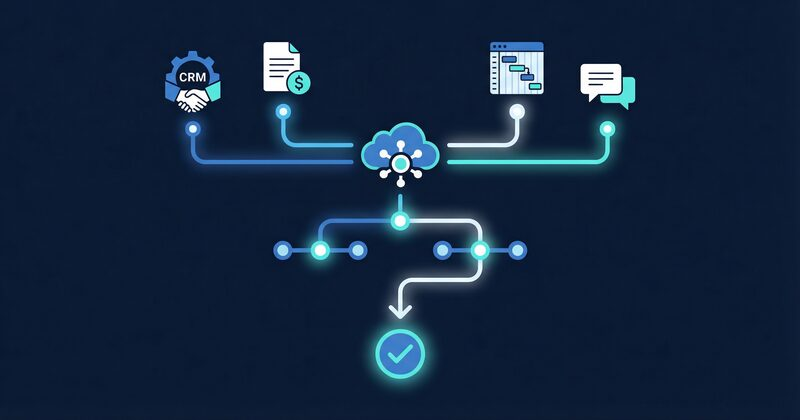
A genuine single-database platform stores all business data — projects, clients, finances, communications, timesheets, equipment — in one unified database. When you update a client's details, the change is instant and universal because there's only one record. When you create a project, it's immediately connected to the client, the financial tracking, and the team communication.
This architecture enables things that are impossible with separate tools: real-time project profitability, cross-functional AI queries, instant reporting without data reconciliation, and zero-friction automation between business functions.
Bundled App Suites
Many platforms marketed as "all-in-one" are actually collections of separate applications behind a single login. They may share a brand and a subscription, but underneath, each module has its own database, its own data model, and its own sync mechanisms. Updating a client in one module eventually propagates to others — but not always instantly, not always completely, and not without occasional sync failures.
Bundled suites are better than completely disconnected tools, but they still carry integration overhead. The sync layer is just hidden from you rather than being your responsibility.
How to Tell the Difference
Ask the vendor: "If I change a client's name, how many database tables does that update?" In a true single-database platform, the answer is one. In a bundled suite, the answer involves words like "propagation," "sync cycle," or "within a few minutes."
Step 2: Define Your Must-Have Features
Not every business needs every feature. But certain capabilities are non-negotiable for any business serious about reducing admin and maintaining visibility.
Financial Integration (Non-Negotiable)
If the platform doesn't integrate deeply with your accounting system — two-way, real-time, with bills flowing back as well as invoices flowing out — it's a project management tool, not a business management platform. You need to see profitability at the project level without exporting CSVs.
For Australian businesses, this means Xero integration specifically. MYOB integration is a bonus but secondary given Xero's market dominance.
Client Relationship Management (Non-Negotiable)
Every business has clients, customers, or stakeholders. The platform must track these relationships — contact details, interaction history, pipeline stages, and project linkages — without requiring a separate CRM subscription. Per-seat CRM pricing is one of the biggest drivers of the admin problem because it forces businesses to restrict access to their own client data.
Project or Work Management (Non-Negotiable)
Whether you call them projects, jobs, engagements, or orders, every business tracks work. The platform needs task management, status tracking, timeline views, and — critically — a connection between work and financials. A project management tool that can't tell you whether a project is profitable isn't managing projects. It's managing tasks.
Team Communication (Highly Recommended)
Built-in chat that's linked to projects and clients eliminates the "which Slack channel was that in?" problem. When conversations have context, search becomes useful and decisions become traceable. You stop losing institutional knowledge to a noisy feed of disconnected messages.
AI-Powered Insights (Highly Recommended)
The ability to ask natural language questions about your business data — "Which clients are most profitable?", "What's our pipeline value?", "Who has capacity this week?" — transforms decision-making speed. This only works properly with a single-database architecture because the AI needs access to all data simultaneously.
Timesheets and Resource Management (Important for Service Businesses)
If you bill for time or need to track team utilisation, built-in timesheets that flow directly into project costing eliminate one of the most tedious admin tasks. Export-to-CSV-and-reconcile should be a relic of the past.
Equipment or Asset Tracking (Industry-Specific)
Businesses with physical assets — tools, vehicles, instruments, inventory — benefit from equipment tracking that's linked to projects and compliance calendars.
Step 3: Identify Red Flags
During your evaluation, watch for these warning signs:
Per-Seat Pricing That Restricts Visibility
If the pricing model makes it uneconomical to give every team member access, the platform will create information silos by design. A project manager who can't see client history, or a team leader who can't see project finances, is operating with an incomplete picture. Business management should be democratised, not rationed by seat count.
No Data Export Capability
If you can't export your data in standard formats (CSV, JSON, SQL), you're locked in. Every responsible platform provides comprehensive data portability. If the vendor hesitates when you ask about export, walk away.
"Integration" That's Really Just Export
An "integration" that sends data one way — from the platform to Xero, for example — without importing data back isn't integration. It's an export button with better marketing. True integration is bidirectional, automatic, and continuous.
Separate Modules with Separate Pricing
If the CRM, project management, and reporting modules are priced separately, you're looking at a bundled suite, not a unified platform. Expect sync issues and incremental costs as your needs grow.
No Mobile Access
Your team doesn't sit at desks all day. If the platform doesn't work on mobile devices, it won't get used in the field, on-site, or during client meetings — which is often where the most important data needs to be captured.
Requires a Consultant to Implement
If the platform can't be set up by the business owner or a tech-savvy team member within a week, it's too complex. Complexity is the enemy of adoption, and software that doesn't get adopted is the most expensive software of all.
Step 4: Evaluate Pricing Honestly
The sticker price of business management software is often misleading. Here's how to calculate the true cost.
Visible Costs
- Base subscription per month or year
- Per-seat charges for each module
- Add-on pricing for features like AI, advanced reporting, or integrations
- Implementation or onboarding fees
Hidden Costs
- Integration tools: (Zapier, Make) needed to connect modules: $50–$200/month
- Training time: for team to learn the platform: calculate hours × loaded hourly rate
- Productivity loss: during transition: typically 2–4 weeks of reduced output
- Ongoing admin: to maintain integrations, fix sync issues, and manage separate logins
The Comparison That Matters
Don't compare the subscription cost of one platform against another. Compare the total cost of operation — subscriptions plus hidden costs — of your current fragmented stack against the total cost of a unified platform.
For most 10–25 person businesses, the fragmented stack costs $25,000–$50,000/year in visible subscriptions and $30,000–$80,000/year in hidden costs. A unified platform typically costs $5,000–$10,000/year in subscriptions with near-zero hidden costs. The savings fund themselves many times over.
Step 5: Plan the Migration
Switching from multiple tools to one platform is a project in itself. Done well, it takes 2–6 weeks. Done poorly, it creates more chaos than it resolves.
Phase 1: Data Preparation (Week 1)
- Audit every tool in your current stack
- Export client data, project data, and financial history from each tool
- Clean the data: remove duplicates, standardise naming, update stale records
- Prioritise: which data must migrate, and which can be archived?
Phase 2: Platform Setup (Week 1–2)
- Configure the new platform: team roles, permissions, project templates
- Connect financial integrations (Xero sync)
- Import cleaned data: clients first, then projects, then historical records
Phase 3: Parallel Running (Week 2–4)
- Run both old and new systems simultaneously for critical workflows
- Have the team use the new platform for new work while keeping old tools for in-progress items
- Identify and resolve any gaps or issues during parallel running
Phase 4: Cutover (Week 4–6)
- Migrate remaining active projects to the new platform
- Cancel old tool subscriptions (check contract terms for notice periods)
- Archive old data as needed
- Conduct a team retrospective: what worked, what needs adjustment?
The Critical Success Factor
Migration succeeds or fails based on one thing: team adoption. The platform must be easier to use than the tools it replaces. If it creates more friction than it eliminates, people will quietly revert to their old workflows and the migration fails regardless of how good the technology is. Choose a platform with an intuitive interface, solid onboarding resources, and responsive support during the transition.
Step 6: Measure Success
After 60–90 days on the new platform, measure these metrics:
- Admin time percentage: : Track how your team spends time. Has admin dropped below 20%?
- Data accuracy: : Are client details, project financials, and team records consistent? Run spot checks.
- Decision speed: : Can you answer key business questions — profitability, pipeline, capacity — in minutes instead of days?
- Tool count: : How many separate subscriptions are you still running? The target is as few as possible.
- Team satisfaction: : Survey your team. Do they feel more productive? Less frustrated with admin overhead?
If these metrics haven't improved, something in the implementation needs adjustment. If they have — and they almost always have — you've successfully compressed the admin side of the Business Triangle.
Frequently Asked Questions
"Do I need to replace Xero?"
No. Xero is excellent at accounting and should remain your financial backbone. The business management platform sits above Xero, handling projects, clients, communication, and operational reporting while syncing financial data in both directions.
"What about businesses that aren't project-based?"
The framework applies regardless of business model. Retailers track orders and inventory instead of projects. Subscription businesses track accounts and renewals. Consultants track engagements. E-commerce businesses track fulfilment. The underlying need — a unified view of work, clients, and finances — is identical.
"How long does migration really take?"
For a 10–20 person business with a moderate data history, expect 3–4 weeks including parallel running. Larger or more complex businesses may need 6–8 weeks. The critical variable is data cleanliness — the cleaner your existing data, the faster the migration.
"What if I hate the new platform?"
This is why data portability matters. Any platform worth considering should let you export all your data in standard formats. If you try a unified platform and decide it's not right, you take your data and move on. The risk is temporary inconvenience, not permanent lock-in.
"Is this just for Australian businesses?"
The framework is universal, though the specific recommendations around Xero integration and GST handling are tailored for the Australian market. Businesses in New Zealand, the UK, and other Xero-dominant markets will find the same principles apply directly.
"Can I migrate gradually or do I have to switch everything at once?"
Gradual migration is strongly recommended. Start with one function — typically project management — and expand from there. This reduces risk, allows your team to build confidence incrementally, and gives you early wins that build momentum for the full transition.
The Decision That Matters
Choosing business management software isn't a technology decision. It's a decision about how your business spends its time. Every hour saved on administration is an hour available for the craft that generates value and the business development that drives growth.
The right platform compresses admin, connects data, and gives every team member the visibility they need to do their best work. The wrong platform — or worse, a collection of disconnected "right" platforms — perpetuates the fragmentation that keeps businesses stuck.
Choose deliberately. Your Business Triangle depends on it.